Compared
AI video editors for streamers: which kind do you need?
“AI video editor” covers very different tools. Some cut thirty-second clips; some strip the dead time and hand you a rough cut; some let you edit the transcript; some do the whole edit. Which one you need depends on what you post.
Updated
Clips and videos are different jobs
Most AI tools made for streamers are clip generators: they scan a VOD for loud or busy moments and export short vertical clips for TikTok, Shorts and Reels. That is a real job, and they are built for doing it every day.
A YouTube channel also needs the long video: the stream told as a story, with a hook, an arc and an ending, cut so that every minute earns its place. That takes reading the whole stream, not just its peaks, and an editor where the result can be changed.
A rough cut is not a finished video
Some tools for long-form go part of the way: they take the dead time, loading screens, menus and silence out of a VOD and hand you a project to finish in DaVinci Resolve or Premiere Pro. That saves the scrubbing, and the editing is still yours: choosing the story, ordering it, captions, titles and effects.
Game highlighters, such as the one in Streamlabs, assemble the big moments of a supported game into a reel. They find peaks; they do not tell the night as a story.
What to look for in an AI editor for streams
- It reads the whole VOD — speech, sound and what is on screen — not only chat spikes and loud moments
- It knows what a stream is: starting-soon screens, breaks, alerts, raids, co-streamers
- It makes the format you post: long-form, highlights, Shorts, or all three
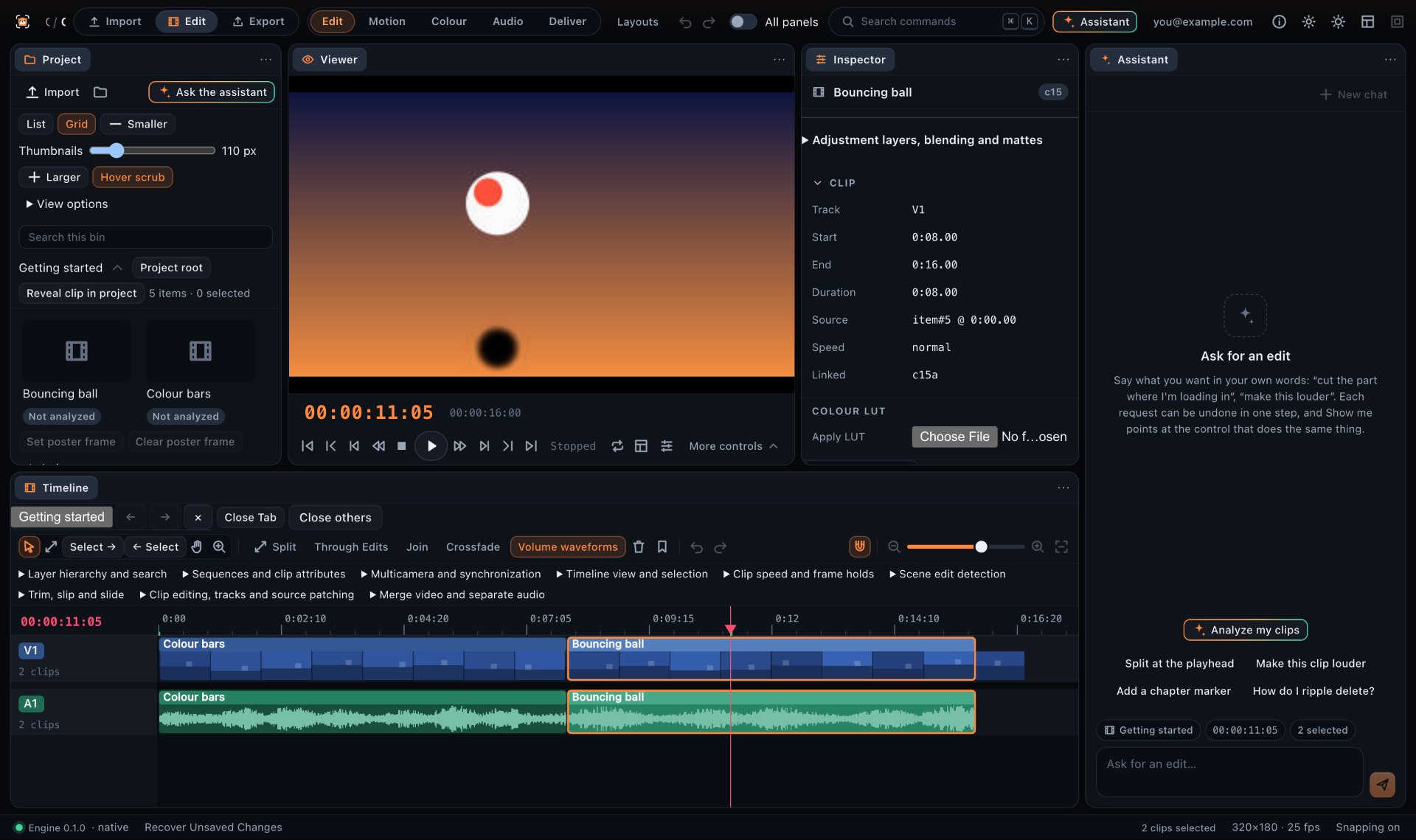
- It leaves you a real timeline, so you can change any cut instead of starting over
- It handles the facecam: cutting to it on the right line, stacking it in vertical shorts
- It tells you why it chose each moment
- You know what happens to your footage: what is uploaded, and for how long
Where Frameotter fits
Frameotter is an AI-powered video editor that makes the whole edit. It reads the entire recording, plans the video, builds it on a multi-track timeline with captions, titles, effects and the music you add, reviews its own cut, and explains its choices. It makes long-form videos, highlights and vertical Shorts from the same stream, and every change it makes is an ordinary, undoable edit.
It is not a rough-cut tool: you export the finished video from Frameotter. If you would rather finish in another editor, the desktop app exports the timeline as FCPXML, Final Cut Pro 7 XML, EDL, AAF, OMF or OpenTimelineIO for Premiere Pro, DaVinci Resolve or Final Cut Pro. It has no music or sound-effect library of its own: it uses the tracks and sounds you add.
If all you want is a steady feed of short clips, a clip generator is built for that. If you want the video you would otherwise spend an evening editing yourself, that is the job Frameotter is built for.
The kinds of AI video editor, side by side
| Kind of tool | Examples | What it makes from a stream | Editing afterwards | Best for |
|---|---|---|---|---|
| AI clip generators | Eklipse, StreamLadder, Opus Clip, Vizard, Klap, Spikes Studio | Short vertical clips of single moments | A clip editor for captions and layout | Posting Shorts and TikToks often |
| Game highlighters | Streamlabs AI Game Highlighter | A reel of a supported game’s big moments, horizontal or vertical | Trim and reorder the highlights, add titles and captions | Quick highlight reels of supported games |
| AI rough-cut tools | StreamGen’s AI VOD Editor | The VOD with dead time, loading screens, menus and silence cut out, as a project file | Finish it in DaVinci Resolve or Premiere Pro | Editors who want the scrubbing done and do the rest themselves |
| Text-based editors | Descript | Edits made by editing the transcript | Edit the words, with a timeline beside them | Talking videos, podcasts and tutorials |
| Manual editors | Premiere Pro, DaVinci Resolve, CapCut | Whatever you cut yourself, with some AI assists | A full manual timeline | Editors with the time, or a hired editor |
| Whole-edit AI editor | Frameotter | Finished long-form videos, highlights and Shorts, edited by the assistant | A full multi-track timeline; every AI change undoable; timeline export to Premiere Pro or Resolve | Turning long streams into finished YouTube videos |
Based on how each product describes itself on its own website, November 2026. Products change: check their sites for what they do today.
Questions
What is the best AI video editor for streamers?
It depends on what you post. For a daily feed of vertical clips, AI clip generators such as Eklipse, StreamLadder or Opus Clip are built for volume. For long-form YouTube videos made from your streams, edited on a timeline you can change, Frameotter is built for that job, and it makes Shorts from the same stream too.
What is the difference between an AI clip generator and an AI video editor?
A clip generator finds short moments in a long video and exports them as clips. An AI video editor like Frameotter edits the whole video: it reads the entire recording, chooses and orders the moments into a structure, and builds the edit on a timeline with cuts, captions, titles and effects you can change.
What do gaming YouTubers use to edit their videos?
Many edit by hand in manual editors such as Premiere Pro, DaVinci Resolve or CapCut, or hire an editor. AI editors such as Frameotter now make the first cut from the raw recording, which the creator then refines on the timeline.
Is there an AI that edits a whole stream into a YouTube video?
Yes. Frameotter reads a whole stream recording and edits it into a long-form YouTube video — the moments chosen and ordered into a story, the dead time cut, captions and titles added — on a multi-track timeline you can change.
How is Frameotter different from rough-cut tools like StreamGen?
Rough-cut tools such as StreamGen’s AI VOD Editor take the dead time, loading screens and silence out of a VOD and hand you a project to finish in DaVinci Resolve or Premiere Pro. Frameotter makes the finished video: it chooses and orders the moments, cuts them, and adds captions, titles and effects, in its own editor where you can change any of it. Its desktop app can still export the timeline to Premiere Pro or Resolve if you would rather finish there.