For streamers
The AI video editor for streamers
You stream for hours; your channel needs videos. Frameotter reads your VODs and edits the videos for you — the story of the stream, the highlights, the Shorts — on a real timeline, so you can change anything before it goes up.
Made for the way streams are
Most editors were built for footage shot to be edited. A stream is the opposite: hours long, mostly waiting, with the best moments scattered through it and a facecam, alerts and a chat box on top. Frameotter’s assistant is written for that footage, and knows what a starting-soon screen, a BRB break, a raid or a TTS message is.
Clip tools find you thirty seconds. A channel needs the whole video too: the night told as a story, with a hook, an arc and an ending. That is the job Frameotter is built for.
What it makes from a stream
- The stream as a YouTube video: what happened tonight, as a story
- Highlights and best-of cuts
- Funny-moments compilations: the fails, the rage, the chaos in the call
- Ranked climbs, told match by match with a running rank
- Challenge runs, attempt by attempt
- Full matches and let’s-play episodes, minus the downtime
- Vertical Shorts, TikToks and Reels, facecam over gameplay, captioned word by word
It edits like an editor, not a clipper
Cuts land on the lines that matter. It cuts to your facecam when your face is the moment — the stunned silence, the laugh, the line to camera — and back to the game when the play happens. Punch-ins hit on the word, effects land on the impact frame, and a caption carries a line a teammate mumbled. Every choice has a reason, and its report tells you the reasons.
Then it watches its own edit. A review pass reads the cut like a senior editor would, flags dead air, weak moments and captions over a face, and the assistant fixes them before it hands the edit over.
Your plays, your stream
When you die and spectate a teammate, their play isn’t your highlight, and Frameotter doesn’t pretend it is. Co-streamers and friends in the call are told apart in the transcript, so their banter can carry a scene while the moments stay yours. Names come from what is said or shown on screen, never guessed.
Collabs and multi-POV
For a group stream, an SMP event or a collab, bring each streamer’s VOD of the session. Frameotter lines the recordings up and can cut between points of view: your reaction, their side of the same fight, at the same instant.
You stay the editor
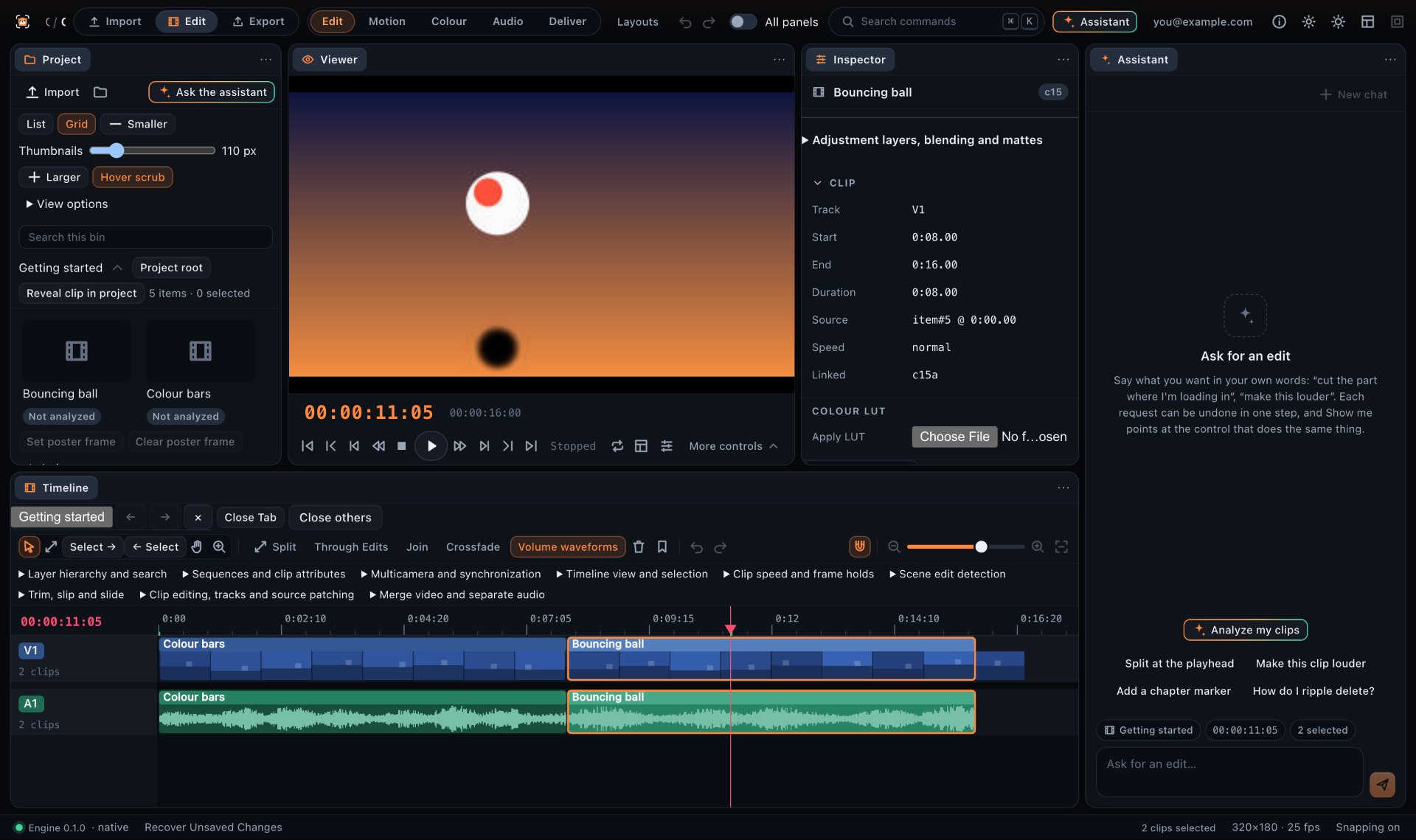
Nothing it builds is locked away. The edit is ordinary tracks, cuts, titles and effects on a timeline. The desktop app is the full editor — keyframes and motion graphics, colour, the audio mixer, masks and tracking, multicam — and the web editor is there for a quick cut on any computer.
Questions
What makes Frameotter different from AI clipping tools for streamers?
Clipping tools find short moments and export them as clips. Frameotter makes whole edits: it reads the entire stream, edits a long-form YouTube video, highlights or Shorts, and puts the result on a full multi-track timeline where you can change every cut.
Does Frameotter make Shorts and TikToks from my streams?
Yes. It makes 9:16 vertical shorts of single moments, with your facecam stacked over the gameplay and every word captioned as it is said. Without a facecam, it reframes the clip on what matters.
Does it work for Just Chatting and IRL streams?
Yes. Besides games, the assistant edits talking to camera, IRL and vlog footage, and keeps the story of a Just Chatting segment when it matters to the video.
Do I need editing experience?
No. Describe the video you want and the assistant makes it. If you do edit, the full editor is there: move any cut, change the titles, the pacing or the sound.
Which computers does it run on?
The desktop app runs on macOS 13 Ventura or later and on 64-bit Windows 10 or later. The web editor runs in the browser for quick cuts.
Will my stream’s music get my video claimed?
Music playing in your stream’s audio can get a YouTube video claimed or muted. The assistant tells you where it runs, avoids moments whose whole point is a recognisable song, and won’t lay a music track you added under stretches where your stream already has music.