For gamers
A video editor for gamers, with an AI that knows the game
Record your session, drop it in and say what you want: a highlight reel, a funny-moments video, a ranked climb, a Short. Frameotter reads the gameplay and the voice chat, finds the moments, and edits the video on a real timeline you can change.
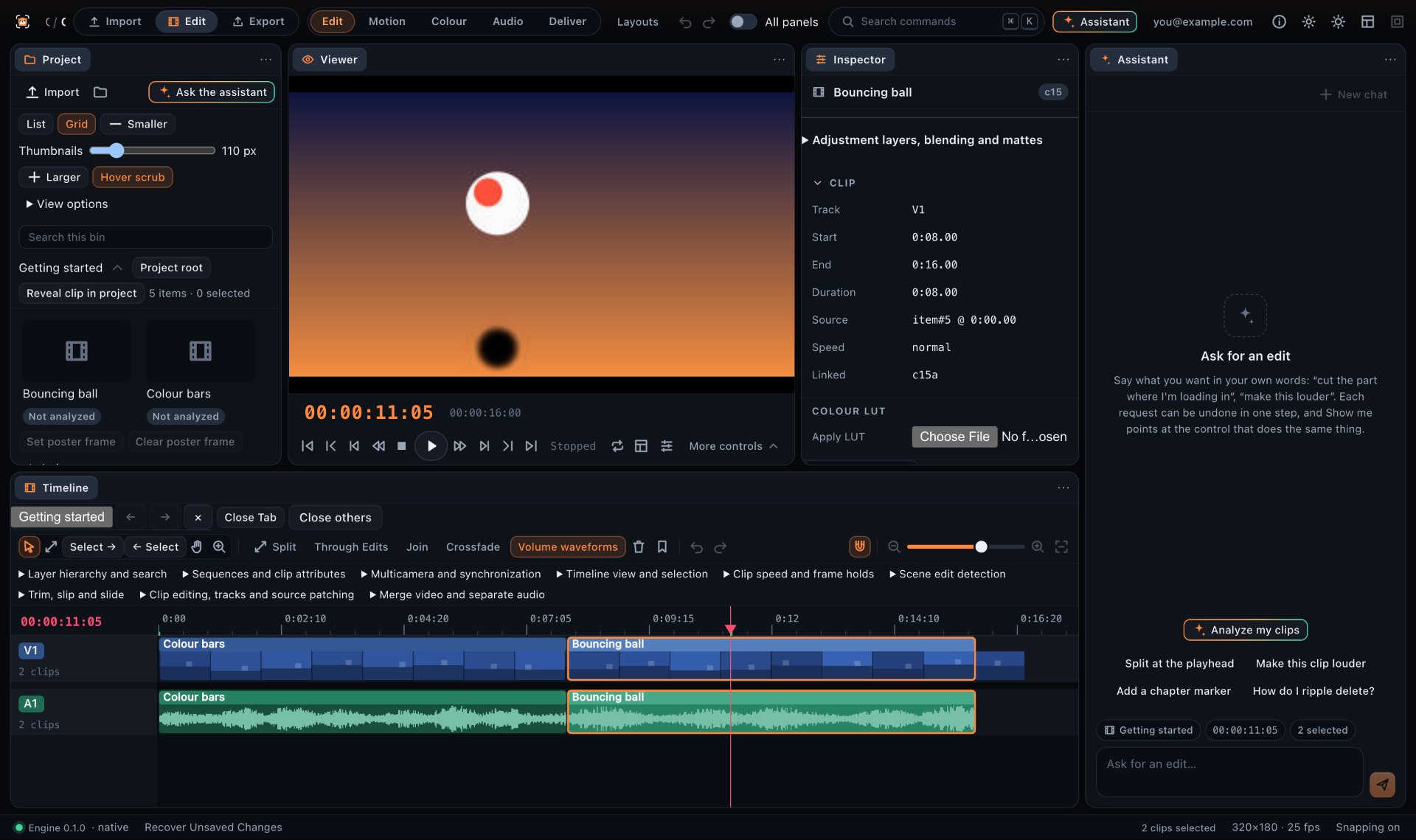
It reads the game, not just the audio
A clutch is quiet until the last kill; a funny moment is in the voice chat, not the kill feed. Frameotter reads both. Clip analysis transcribes you and your squad and tells your voices apart, hears the gunfire, explosions, laughter and sudden silences, and maps what is on screen: gameplay, menus, loading, and the result and rank screens with their numbers copied exactly.
Gaming formats it knows
- Highlights: the session as a story, with the moments chat would have lost it over
- Funny moments: fails, glitches, rage and betrayals, ordered for rhythm
- Montages, cut to the beat of your own music
- Ranked climbs, match by match, with the deciding game given room
- Challenges and runs: no-hit runs, hardcore days, speedrun attempts
- Full matches and let’s-play episodes, minus the downtime
- Vertical Shorts, TikToks and Reels with word-by-word captions
Genres it has studied
The assistant edits any game, and has specific knowledge of how each kind of game is played and watched:
- Tactical shooters: Valorant, Counter-Strike 2, Rainbow Six Siege
- Battle royales: Fortnite, Apex Legends, Warzone, PUBG
- Other competitive games: League of Legends, Overwatch 2, Marvel Rivals, Rocket League, fighting and racing games
- Co-op horror: Lethal Company, Phasmophobia, R.E.P.O., Content Warning
- Sandbox and survival: Minecraft SMPs and hardcore runs, Terraria, Rust, Valheim
- Social deduction: Among Us and other hidden-role games
- Story games, roguelikes and speedruns: Hades, Balatro, Slay the Spire
Effects on the moment, not everywhere
A shake, a flash or an impact frame on the hit itself; a slow-motion ramp into the decisive second; a punch-in on the word. Frameotter ties each effect to a moment and keeps the count down, so the edit hits hard where it matters instead of shaking all the way through.
Your plays, not your teammate’s
When you die and watch a teammate finish the round, that is their play. Frameotter keeps the moments that are yours — unless you ask for a video about a friend’s plays, and then it makes that one.
A full editor when you want one
Every edit lands on a multi-track timeline: tracks, cuts, transitions, titles, colour and motion graphics, on one engine written in Rust. Change any of it by hand in the desktop app, or ask the assistant for the change.
Questions
Which games does Frameotter work with?
Any game. The assistant reads what is on screen and what is said, and has specific knowledge of tactical shooters, battle royales, MOBAs and hero shooters, co-op horror, sandbox and survival games, social deduction, story games, roguelikes and speedruns.
Can it edit my OBS or ShadowPlay recordings?
Yes. Frameotter imports the video files you record, including OBS’s MKV and MP4 recordings, and reads long sessions straight from disk in the desktop app.
Can it make a gaming montage synced to music?
Yes. Add your own music track and the assistant finds its beat and cuts the montage to it.
Can it edit a session recorded by several players?
Yes. Bring each player’s recording of the same session; Frameotter lines them up and can cut between the points of view at the same instant.
Does it make vertical gaming Shorts?
Yes: 20-to-60-second 9:16 clips of single moments, facecam stacked over the gameplay when there is one, with word-by-word captions and a hook in the first two seconds.